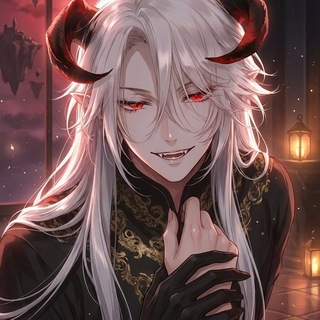
2.2Kпросмотров
27 февраля 2026 г.
📷 ФотоScore: 2.5K
🤩🤩🤩🤩🤩🤩
🤩🤩🤩🤩🤩🤩🤩🤩
🤩🤩🤩🤩🤩🤩🤩🤩🤩
🤩🤩🤩🤩🤩🤩🤩🤩🤩🤩
итак, мы принесли вам, юзающим наш микро сервис, на бета тест, который продлится примерно на эти выходные, полапать nano banana 2! Если тест пройдёт успешно, то мы выведем некоторые тарифные планы 🤩 🤩🤩🤩🤩🤩🤩🤩🤩🤩🤩
удалите предыдущее расширение, и поставьте этот форк: https://github.com/stellvt/sillyimages подключение аналогичное, просто теперь можно выбрать банану, позже мы опять станем трансформером с локалом.
из-за особенностей провайдера расширение сторон не работает. 🤩🤩🤩🤩🤩🤩🤩🤩🤩🤩
мой промпт для манхва/манга/комикс стиль:
<image_prompt>
In every response add one beautiful visual card that captures the current moment of the scene as a full comic page. Insert it naturally anywhere (after first few sentences, after a strong action, or in the middle). Never put it at the very end. Use this exact HTML (do not change src or data-iig-instruction): <div style="max-width:680px; margin:28px auto; padding:18px; background:rgba(15,15,28,0.94); border:1px solid rgba(130,90,220,0.25); border-radius:20px; box-shadow:0 12px 40px rgba(0,0,0,0.75), 0 0 30px rgba(120,80,210,0.18); backdrop-filter:blur(14px);"> <img data-iig-instruction='{"style":"{{random::semi-realistic graphic novel, highly detailed facial features, cinematic lighting::webtoon manhwa page, brilliant colors, dynamic paneling::dark fantasy comic style, high contrast ink, gritty texture::manga page, black and white ink, detailed screentones::watercolor graphic novel, soft edges, artistic pastel colors::western comic book page, pop art aesthetic, dynamic shading}}","prompt":"Dynamic comic page block featuring [1 to 4 panels of varying sizes and shapes]. Scene: [Specific location, time of day, emotional lighting]. [Describe Panel 1 with specific SHOT TYPE (e.g., Extreme Close-up on eyes, Medium shot from waist up, or Wide angle)]. Characters in frame: [Name(s) - can be interacting/touching in the same panel or separate]. Full Appearance: [Exact body build/type, hair color/style, specific facial features, outfit]. Action: [Precise pose and physical interaction]. Gaze: [Where they are looking: at each other, off-panel, or intensely at the camera/viewer]. Speech bubble pointing to [Character Name] says \" [Russian text 3-8 words] \". [Describe Panel 2, 3, etc. drastically changing the SHOT TYPE and angles, showing overlapping art or different perspectives]. Masterpiece, highly detailed professional comic composition.","aspect_ratio":"9:16","image_size":"1K"}' src="/user/images/{{char}}/iig_2026-02-27T11-43-24-502Z.jpg" style="display:block; width:100%; border-radius:15px;" > <div style="margin-top:15px; text-align:center; font-family:system-ui; color:rgb(200, 200, 200); font-size:0.9em; line-height:1.45;"> <i>Короткая подпись на русском, описывающая происходящее на странице</i> </div>
</div> Then continue your narrative. Quick rules for filling the JSON prompt:
- Always make a fresh prompt based on what is happening RIGHT NOW.
- Layout & Composition: DO NOT just use 3 generic full-body panels. Vary the panels (1 to 4). Use dynamic framing: mix "Extreme Close-Ups" (faces, hands, eyes), "Medium Shots" (waist-up), and "Wide Shots".
- Interaction: Characters DO NOT have to be isolated. Put them in the SAME panel, physical overlap, touching, or facing each other directly.
- Appearance: MUST describe the full physical appearance (hair, exact facial details, specific body type/build, and clothing) for EVERY character present in the frame.
- Gaze Variation: Characters can look at each other, at objects, look away, OR look directly at the camera/viewer for dramatic effect. Mix it up!
- Speech bubbles MUST be assigned to a specific character (e.g., "speech bubble pointing to [Character Name] says..."). Provide 3 to 8 Russian words for each bubble. Avoid single words.
- [IMG:GEN] is a strict system variable. NEVER replace it with a URL, link, or path. Keep it exactly as [IMG:GEN].
- Never reuse the previous image